How it works
Input
Paste a URL
Enter a YouTube video URL or 11-character video ID — published or unlisted.
Process
Score 15 items
We pull the video metadata, score 15 checks, and re-normalize the total over only the items we can actually measure.
Output
Get your results
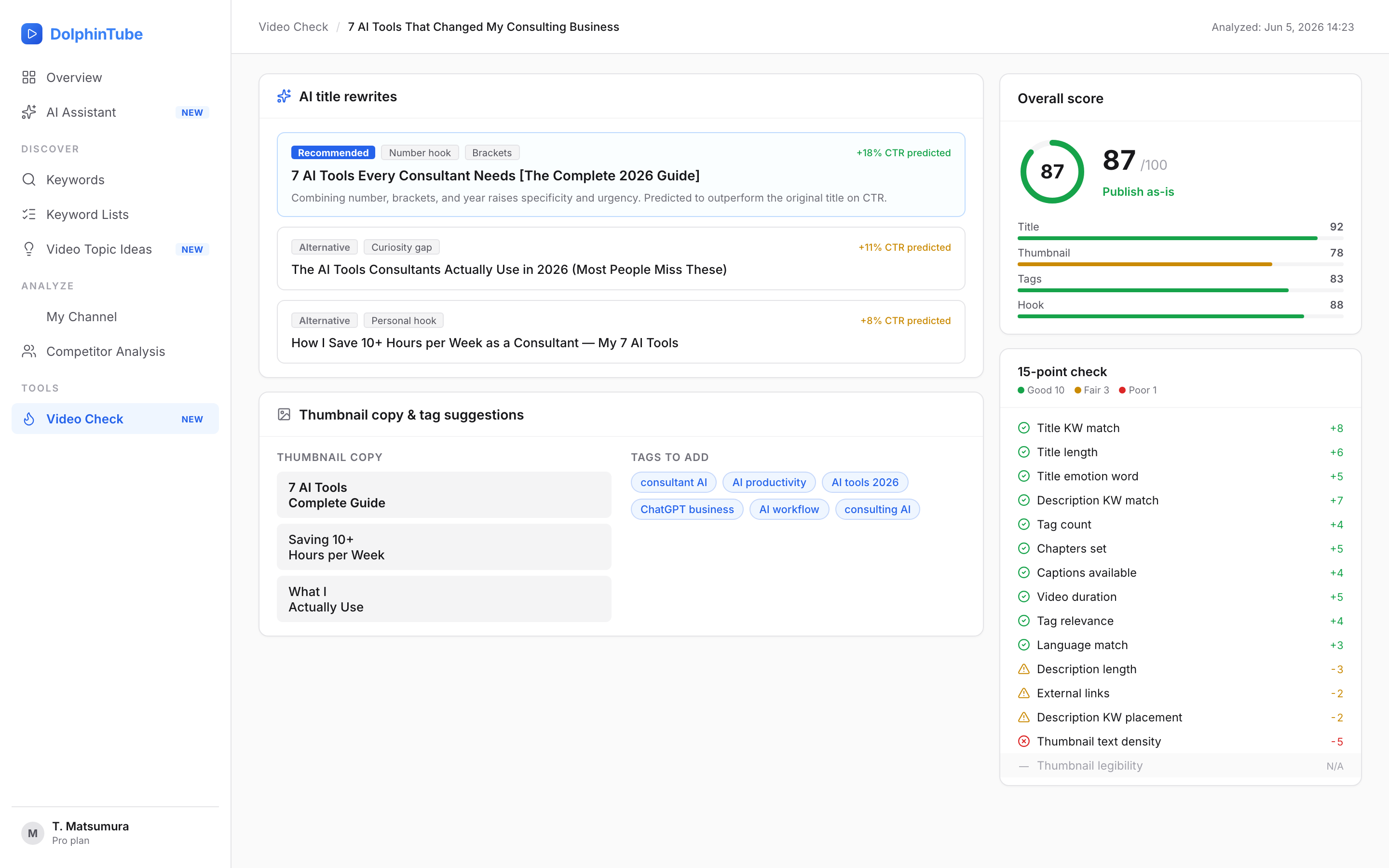
A 0–100 score, a publish verdict, five AI title options with predicted CTR lift, plus thumbnail copy and tag suggestions.
Key points
Honest scoring: items we can't measure are marked 'N/A' and excluded — never dragged to zero.
Five title rewrites, each with strategy tags and a one-line rationale.
Tuned separately for Shorts — length and opening hook get their own diagnostic logic.
All 15 checks
| # | Check | What we measure |
|---|---|---|
| 1 | Title KW match | Does the title contain a search keyword? |
| 2 | Title length | Recommended range (28–32 chars in Japanese) |
| 3 | Title emotion | Numbers, emotional words, brackets |
| 4 | Description length | Is there enough content? |
| 5 | Description KW match | Does the description include the keyword? |
| 6 | External links | Appropriate number of outbound links |
| 7 | Tag count | Right number of tags |
| 8 | Tag relevance | Tags match the title topic |
| 9 | Thumbnail text size | Readability (when image analysis is available) |
| 10 | Thumbnail face | Human presence (when image analysis is available) |
| 11 | Thumbnail contrast | Visual clarity (when image analysis is available) |
| 12 | Duration band | Compared to genre average |
| 13 | Chapters present | Chapter markers set |
| 14 | Subtitles | Subtitles available |
| 15 | Language match | Japanese / English detection |